# Snaps

Fex currently offers two ways to connect to wallets, Pay4Best and Snaps. Pay4Best is quite simple, it is to generate a BCH cash address using the EVM address and then sign to confirm transactions. Snaps is a recently launched MetaMask feature designed to provide developers with a way to access the MetaMask wallet (especially for non-EVM blockchains). We have implemented a simple Snaps wallet called [bchwallet.cash](https://bchwallet.cash/).

## User Guide

Now our snap is officially listed on the MetaMask Snaps Dictionary! Users can install bch-snap on the MetaMask stable version now.

You can check the snap information here: <https://snaps.metamask.io/snap/npm/bch-snap/>

Go to the top right corner of the Fex website and click "Snap", then click "Connect".

<figure><img src="https://1655655185-files.gitbook.io/~/files/v0/b/gitbook-x-prod.appspot.com/o/spaces%2F6drUnU2AEvBeSzK44ggY%2Fuploads%2FWFD3KtA6MwLaSLoqE1xv%2Fimage.png?alt=media&#x26;token=da8c4157-502f-46b0-952b-f1310aa6d8c0" alt=""><figcaption></figcaption></figure>

<figure><img src="https://1655655185-files.gitbook.io/~/files/v0/b/gitbook-x-prod.appspot.com/o/spaces%2F6drUnU2AEvBeSzK44ggY%2Fuploads%2F6agu60Xz7Jwtgdc2wKtH%2Fimage.png?alt=media&#x26;token=5a7886da-1c27-484c-88c6-70a0f16799c8" alt=""><figcaption></figcaption></figure>

After clicking, the MetaMask will ask you to connect to MetaMask and install "Bitcoin Cash Wallet".

<figure><img src="https://1655655185-files.gitbook.io/~/files/v0/b/gitbook-x-prod.appspot.com/o/spaces%2F6drUnU2AEvBeSzK44ggY%2Fuploads%2FpuyU0HInLaGYPw5WLuxL%2Fimage.png?alt=media&#x26;token=2d8ed85f-ca03-460d-84ff-75ff0c58dc8e" alt=""><figcaption></figcaption></figure>

<figure><img src="https://1655655185-files.gitbook.io/~/files/v0/b/gitbook-x-prod.appspot.com/o/spaces%2F6drUnU2AEvBeSzK44ggY%2Fuploads%2FO6nHzX7YMkbn4Ipm3SBY%2Fimage.png?alt=media&#x26;token=a87cde75-f17f-4c3c-ae6e-7d807ced22c5" alt=""><figcaption></figcaption></figure>

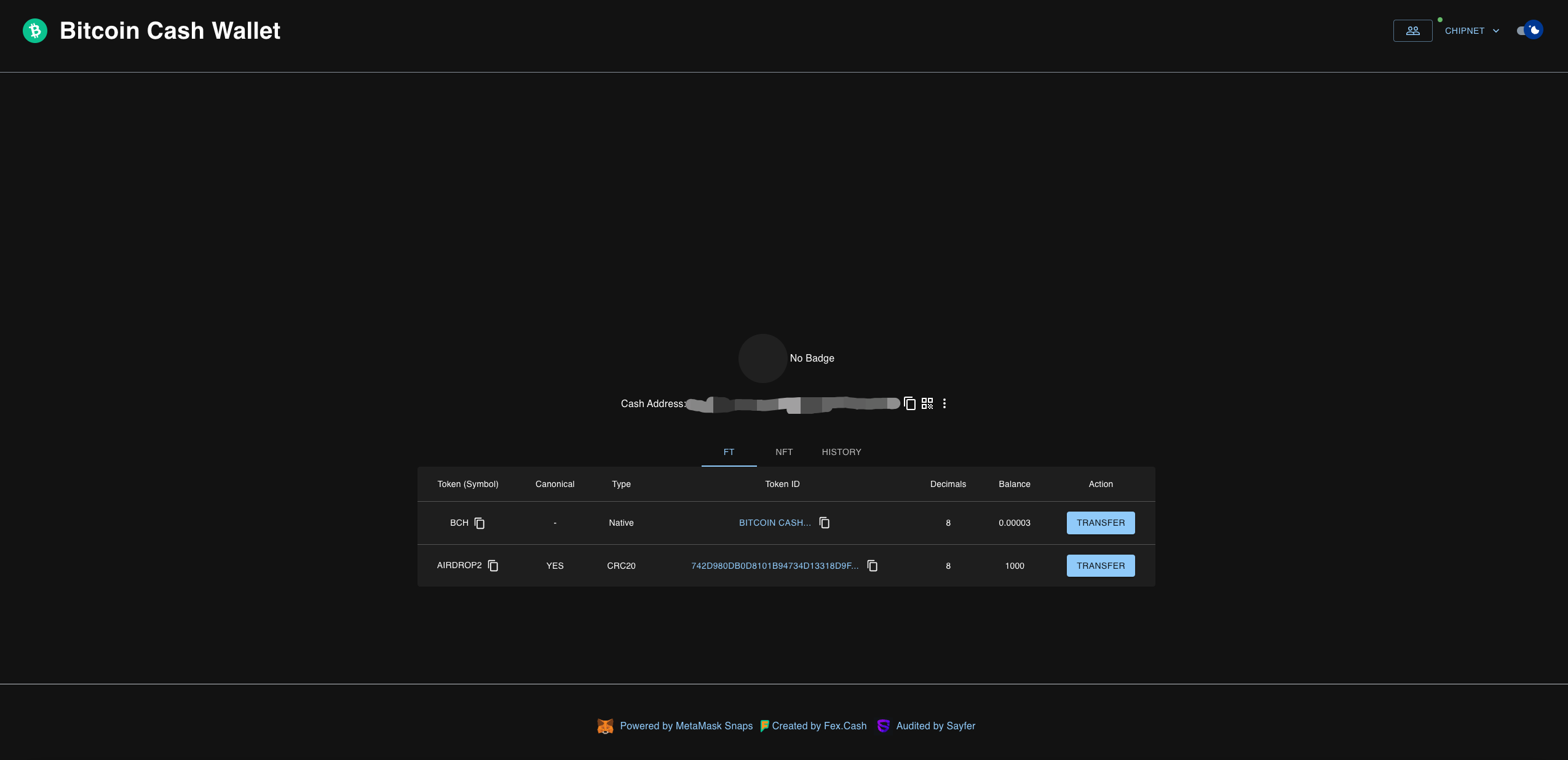
Users can check their assets at <https://bchwallet.cash/>

<figure><img src="https://1655655185-files.gitbook.io/~/files/v0/b/gitbook-x-prod.appspot.com/o/spaces%2F6drUnU2AEvBeSzK44ggY%2Fuploads%2FY1mM5othbJczkW3WFvTP%2Fimage.png?alt=media&#x26;token=430fd94a-3766-4c2b-9d2c-6c86d7c5177a" alt=""><figcaption></figcaption></figure>

And they can switch their accounts here, which currently supports the management of 20 accounts.

<figure><img src="https://1655655185-files.gitbook.io/~/files/v0/b/gitbook-x-prod.appspot.com/o/spaces%2F6drUnU2AEvBeSzK44ggY%2Fuploads%2FkQgDjfhJkBZCkWo1pG5A%2Fimage.png?alt=media&#x26;token=cf6b61fe-5cf1-4052-b817-79dd1e0951b5" alt=""><figcaption></figcaption></figure>

<figure><img src="https://1655655185-files.gitbook.io/~/files/v0/b/gitbook-x-prod.appspot.com/o/spaces%2F6drUnU2AEvBeSzK44ggY%2Fuploads%2FhUwx2yKEpnGxC2wmkJo1%2Fimage.png?alt=media&#x26;token=327a4b02-16e5-45f5-84f0-d40fa65d0bb4" alt=""><figcaption></figcaption></figure>